


TunesBro HEIC Converter: A Full Review for Format Conversion
When it comes to image format compatibility, HEIC is not among the file types that come to mind, since it was designed for Apple devices and is very limited outside the Apple ecosystem. As such, users who have trouble opening these images usually turn to dedicated HEIC converters to overcome the limitations of Apple-exclusive images. In this case, TunesBro HEIC Converter is among the most highly recommended paid image converter tools online. With that in mind, this article aims to provide useful information to help our readers determine whether using paid image converters is worth it and whether the program is safe, fast, and preferable to free tools.

- GUIDE LIST
- Part 1. How We Test and Review TunesBro HEIC Converter
- Part 2. TunesBro HEIC Converter: Deep Dive
- Part 3. Is TunesBro HEIC Converter Safe
- Part 4. Best Alternative to TunesBro HEIC Converter
- Part 5. FAQs About TunesBRo HEIC Converter
Part 1. How We Test and Review TunesBro HEIC Converter
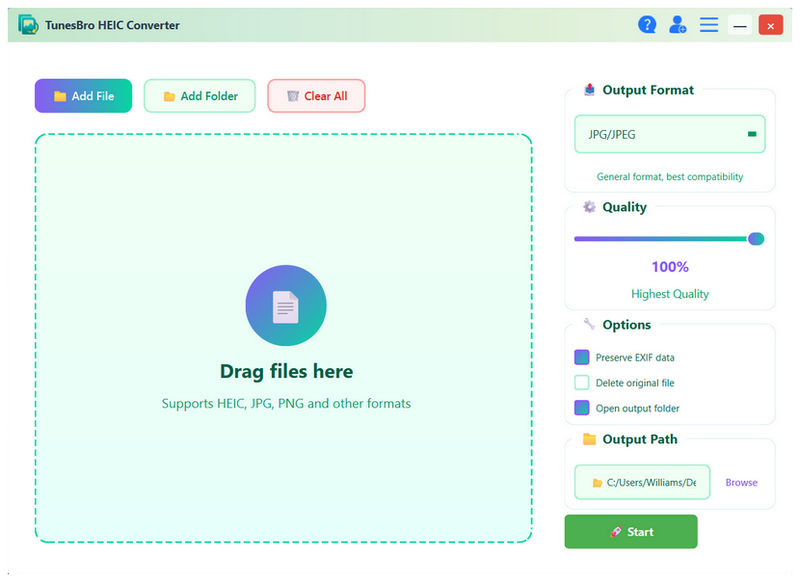
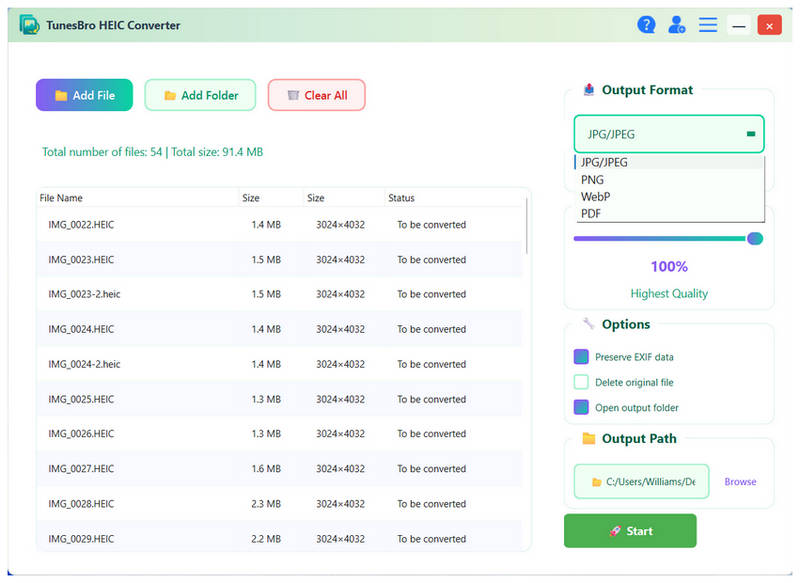
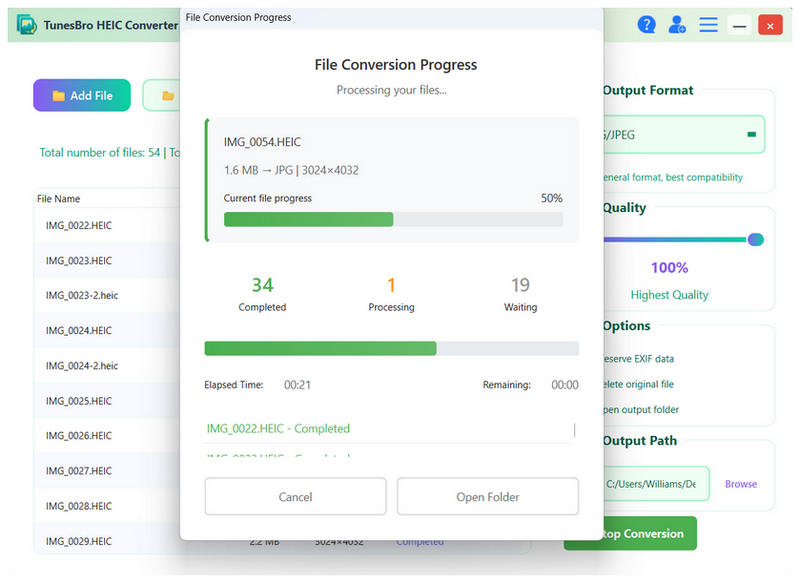
To test the program’s format conversion capabilities, we used the TunesBro HEIC Converter tool to convert 50+ HEIC images to JPG. During the file conversion, we also enabled the Preserve EXIF data option to test whether the program can keep important metadata in the converted images.
With the testing process now discussed, let us continue to the key features, notable highlights, and performance review of the program.
TunesBro HEIC Converter : Key Features and Highlights
- • Flexible conversion options (JPG, JPEG, PNG, PDF).
- • Supports batch processing up to 500+ images at once.
- • Converted HEIC images have minimal loss of quality.
- • Preserves EXIF data and other important metadata in each file.
- • Beginner-friendly interface design for user convenience.
TunesBro HEIC Converter : Performance
- • Batch converts 500 images in a few minutes and 3000 images under an hour.
- • Low CPU usage during the format conversion process.
- • Very small and compact installation size.
- • Functional and runs well on older computer units.
- • Converting to a lossy format, such as JPG, results in minimal loss of quality.
With the key features and performance of using TunesBro HEIC Converter now discussed, let us now proceed to the program’s main strengths and limitations in the following section of the article.
Part 2. TunesBro HEIC Converter: Deep Dive
Based on its key features and performance, TunesBro HEIC Converter has specific pros and cons. To help us fully specify these factors, we have added a detailed list of strengths and limitations when using the program for image format management.
- Converted HEIC images retain their metadata in full.
- Very intuitive interface design with well-labeled buttons and options.
- Works well even when fully offline.
- Exclusively designed for changing the format of HEIC images.
- Fully optimized for Windows computers, making it perfect for solving HEIC compatibility issues.
- Paid software with no free version ($14.95 - $29.95).
- No image editing options.
- Its Windows version is way more advanced than its Mac counterpart.
- Only converts to basic image and document formats.
- Lacks third-party reviews from first-hand users.
Now that the full capabilities and limitations of using the tool have been expounded, let us continue to another factor that users looking for format management software should consider: the safety of using TunesBro HEIC Converter.
Part 3. Is TunesBro HEIC Converter Safe
Yes, it is. TunesBro HEIC Converter is generally safe to use because it is available offline and does not rely on cloud-based storage for format conversion. Unlike other freeware options, its installation package contains no malware or unwanted plug-ins.
Unfortunately, it lacks reliable third-party reviews, as user feedback on its website is mostly testimonials and affiliate comments. With that in mind, it is not as thoroughly verified as other file management tools, such as Adobe or Microsoft apps.
As a general rule, to ensure your safety, download the program only from their official website and avoid using pirated versions of their paid plans.
Part 4. Best Alternative to TunesBro HEIC Converter
With the features, strengths, limitations, and safety standards of TunesBro HEIC Converter now discussed, let us proceed to the best web-based alternative: ArkThinker Free HEIC Converter Online.
Unlike the software we are reviewing in this article, this online alternative was designed to ensure your HEIC images are converted using a streamlined process with no prior setup. This was possible because images in the software automatically converts images when imported.
Within a few seconds, a download button will appear for the converted HEIC file, now saved as a JPG. This makes the software even simpler to use compared to the already beginner-friendly TunesBro HEIC Converter.
To learn how to use ArkThinker Free HEIC Converter Online, make sure to read our guide below, featuring only two simple steps from HEIC import to download.
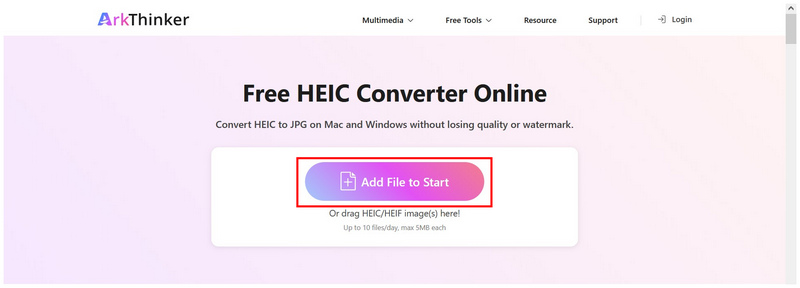
Open ArkThinker HEIC Converter’s website. In the online tool’s interface, select the Add Files to Start button to upload the HEIC images you want to convert. Alternatively, you may drag and drop up to 10 files into the upload box.
Once the HEIC images are imported, wait a few seconds for the conversion to finish. The online tool uses JPG as its conversion format. Finally, click the Download button to import the converted HEIC files back to your device.
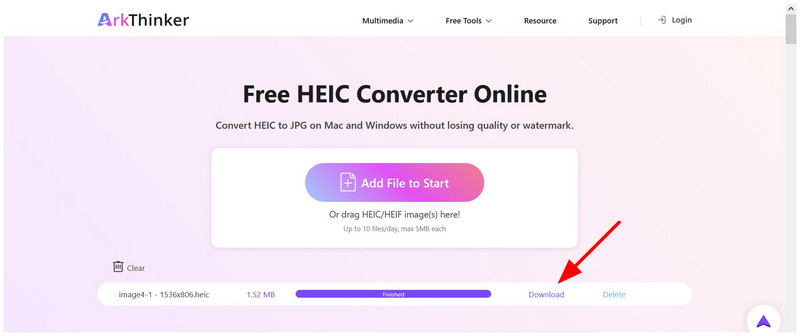
If you are looking for a software designed for ease of use, convenience, and compatibility, look no further than ArkThinker Free HEIC Converter Online. Unlike TunesBro HEIC Converter, it was optimized to work well on both Windows and Mac and even mobile devices, thanks to its web-based nature.
Part 5. FAQs About TunesBro HEIC Converter
Is TunesBro legit ?
Yes, it is. TunesBro works as a format converter tool. It is reliable for both single and batch conversions.
Is TunesBro HEIC Converter free ?
No, it is not. TuneBro HEIC Converter is a paid software. Its free version is only a trial tool.
Are web-based format converters reliable?
Yes, they are. Online image conversion tools are reliable for one-off or small-batch conversions. A recommended option is ArkThinker Free HEIC Converter Online, which can handle batch conversion of up to 10 files at once.
Should I convert my HEIC images?
Yes, you should. Although the HEIC format is good for quality and file size compression, it is not compatible with non-Apple devices. This is a major obstacle for Windows desktops and other mobile devices.
What is better between the JPG and PNG formats?
Both are good options. However, they have different strengths and uses. Use JPG for maximum compatibility, and save in PNG format for higher image quality.
Conclusion
Now that we have reviewed one of the most popular tools for image conversion, TunesBro HEIC Converter, we hope the information in this article helps you decide whether the program is suitable for your personal file management needs. If you are looking for a more convenient alternative, consider ArkThinker Free HEIC Converter Online among your top options.
What do you think of this post? Click to rate this post.
Excellent
Rating: 4.9 / 5 (based on 609 votes)


